


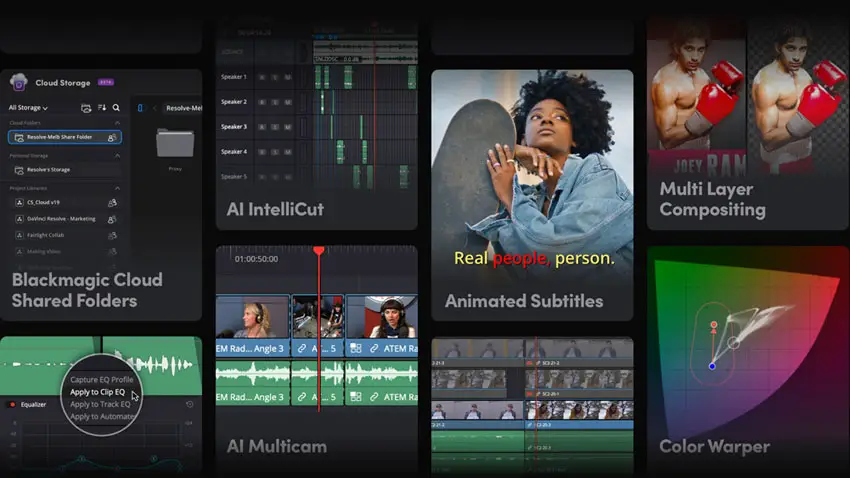
Blackmagic Design has released DaVinci Resolve 20.3.2, a refinement update focused on performance optimization, workflow stability, and targeted feature improvements across editing, color, audio, and delivery.
While not a headline grabbing overhaul, this version introduces meaningful enhancements that directly impact professional post production pipelines, especially for facilities balancing high resolution finishing, stereoscopic workflows, and AI driven upscaling.
As with previous releases, the installer deploys the full DaVinci Resolve application along with remote monitoring components, hardware control panel utilities, Blackmagic RAW Player, and Blackmagic Proxy Generator.
For teams working across distributed environments, this bundled ecosystem continues to position Resolve as a comprehensive post solution rather than just an NLE.

Image Credit- Blackmagic Design
Key Workflow Enhancements
Editors will find a new preference option enabling dynamic trim behavior directly in the trim editor.
Subtitle kerning has also been improved for more consistent typography, a subtle but important detail for broadcast and streaming delivery.
On the color side, Magic Mask caching is now retained when pasting node attributes, saving time in complex grading sessions where tracked masks are reused across shots.
Lens correction issues affecting vertical clips have been addressed, improving reliability for social and mobile centric deliverables.
Resolve also delivers up to 2.5x faster SuperScale Enhanced performance on Apple silicon systems leveraging the Apple Neural Engine.
For content creators upscaling archival or lower resolution footage to UHD or higher, this acceleration significantly reduces turnaround times.
Performance Gains in 3D and Rendering
Facilities working in stereoscopic 3D will see improved render speeds for side by side 3D outputs, along with fixes related to stereoscopic EXR proxy timecode handling.
Progressive renders for interlaced timelines with matching frame rates are now supported, expanding compatibility in broadcast pipelines.
Additional rendering fixes address incorrect behavior in Sony XAVC exports, MXF render size estimates, IMF exports retaining MaxCLL metadata, and Dolby Atmos external renderer issues.
Audio post teams will also benefit from improved ADC reverb delay compensation in certain project configurations.
Expanded Camera and Color Support

Image Credit – FUJIFILM
Resolve 20.3.2 adds support for Fujifilm F-Gamut C colorspace and F-Log2 C gamma, allowing colorists to work natively with the latest Fujifilm camera profiles.
There are also fixes for ProRes RAW decoding under ACES workflows and improved decoding for some Sony ARW files.
Immersive audio capabilities continue to evolve with added support for Dolby headphone personalization in binaural monitoring, enabling more accurate spatial monitoring in headphone based environments.
Stability and Large Project Optimization
Blackmagic has addressed slow media management startup times in larger projects, improved localization of media pool column headers, and resolved various edge case issues across editing, effects, and tracking tools.
Face refinement flicker related to eyebag removal has also been corrected, along with node stack editing behavior when layers are locked.
For professional filmmakers and content creators operating high pressure delivery schedules, these stability and performance refinements are often more valuable than headline features.
DaVinci Resolve 20.3.2 reinforces Blackmagic’s iterative development philosophy: polish, accelerate, and stabilize.
Whether you are finishing Dolby Atmos deliverables, grading Fujifilm F-Log2 C footage, or leveraging Apple silicon AI upscaling, this update delivers practical improvements that streamline real world post production workflows.
[source: Blackmagic Design]
Disclaimer: As an Amazon Associate and a participant in other affiliate programs, we may earn a small comission from qualifying purchases made through some of the links on this page – at no additional cost to you.