
SmallHD has just rolled out a major update to its award-winning PageOS platform, and this one is squarely aimed at professional filmmakers and content creators juggling increasingly complex monitoring environments.
PageOS 6.3 introduces Fleet Control, Portrait Mode UI, expanded camera control, and downstream LUT support on 4K Production Monitors, all designed to cut setup time and keep visual consistency intact from camera to village.
As productions scale across multiple cameras, formats, and crew positions, monitor management has quietly become a bottleneck.
SmallHD’s latest update focuses on removing that friction so crews can spend less time configuring gear and more time shaping the image.

Image Credit: SmallHD
Fleet Control: Centralized Monitor Management That Actually Scales
At the heart of PageOS 6.3 is compatibility with the new Fleet Control desktop app. For DITs, video supervisors, and rental houses, this is a practical leap forward. Fleet Control allows crews to manage an entire network of SmallHD monitors simultaneously.
Firmware updates, settings, pages, tools, and LUTs can now be pushed to multiple monitors at once.
Monitors can be organized into groups for faster deployment, and consistent color and configuration can be maintained across the entire fleet.
Whether you are working with two monitors on a commercial shoot or twenty across a multi camera drama set, Fleet Control helps ensure everything is ready before call time.
Portrait Mode UI for Vertical Production
Vertical video is no longer a niche use case. Social, branded, and hybrid productions increasingly mix horizontal and vertical deliverables in the same shoot day.
PageOS 6.3 introduces a dedicated Portrait Mode UI with optimized menu layouts for vertical shooting.
Instead of awkward rotations and landscape locked menus, crews get a clean, purpose built interface that supports fast decision making on set.
For creators moving between traditional cinema framing and vertical content, this update removes one more compromise from the workflow.
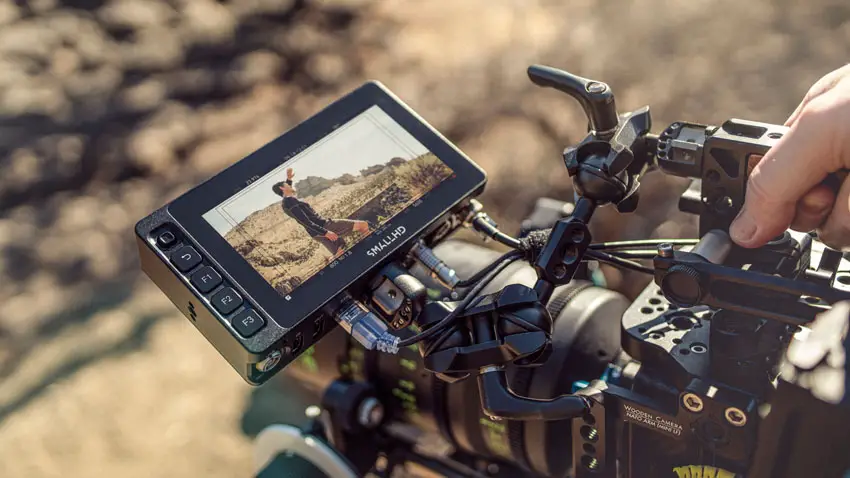
Image Credit – SmallHD
Expanded Camera Control, Now Including Canon
Camera control within PageOS continues to mature, and Canon users now get full integration directly from their SmallHD monitors.
Supported cameras include the Canon C70, C80, C300mkIII, C400, and C500mkII.
Crews can view their shot, adjust exposure settings, and navigate camera menus without touching the camera body.
On Quantum and Ultra 10 series monitors, camera control becomes even more tactile.
PageOS 6.3 allows specific settings to be assigned to physical dials, enabling precise adjustments to ISO, shutter speed or angle, white balance, internal ND, and more.
For operators and assistants, this means faster reactions and fewer interruptions during takes.
Downstream LUTs Keep Everyone on the Same Page
Color consistency across set has always been a challenge, especially when multiple monitors are involved.
With downstream LUT support on 4K Production Monitors, graded looks can now be shared from a primary monitor to every downstream village display.
The result is a unified creative reference without the need for additional hardware or complex signal chains.
This is particularly valuable for directors, clients, and agency teams who rely on confidence monitors to judge creative intent in real time.
Built for Trust and Speed on Set
Monitoring is ultimately about trust. Trust that what you are seeing is accurate, consistent, and aligned with the creative goal.
PageOS 6.3 reinforces that trust by giving crews centralized control, flexible UI options, and deeper camera integration in a single platform.
For professional filmmakers and content creators alike, this update reflects the realities of modern production where speed, adaptability, and consistency are no longer optional.
The PageOS 6.3 update is available now as a free download from SmallHD.
[source: SmallHD]
Disclaimer: As an Amazon Associate and a participant in other affiliate programs, we may earn a small comission from qualifying purchases made through some of the links on this page – at no additional cost to you.